

Teal is an AI job-search platform for managing resumes, applications, and job discovery. It suits active job seekers wanting substantial free tools. We rated Teal 4.8 out of 5.
The free plan handled resume import, job tracking, matching, and AI job search well. Its main trade-off is that deeper analysis and design options require Teal+.
How we tested Teal
We tested Teal’s Free plan on October 23, 2026. The evaluation covered signup, onboarding, resumes, job matching, cover letters, tracking, AI search, extension behavior, and website performance.
- Signed up with Google and completed the recorded onboarding flow.
- Uploaded a PDF resume and reviewed its analysis and design controls.
- Matched a resume to a job and generated one medium-length AI cover letter.
- Added a job manually to the tracker and installed the Chrome extension.
- Ran a web developer search through AI Job Search.
- Checked performance with GTmetrix, Pingdom Tools, and PageSpeed Insights.
The rating reflects tested workflows, output quality, usability, performance checks, safety scanning, and listed value. We did not review Teal’s privacy-policy terms or data-handling practices.

Prompt we used
web developerWhat it returned
Found 332 jobs


C#/.NET/ Web Developer
Charles Schwab Inc. · Southlake, TX · $53 - $56 · about 15 hours ago


Web Developer, Artificial Intelligence Assisted Development
Rockstar · about 22 hours ago


Marketing Web Development Intern
Ivalua · New York, NY · $20 - $30 · about 22 hours ago


Show 17 more jobsKey features of Teal
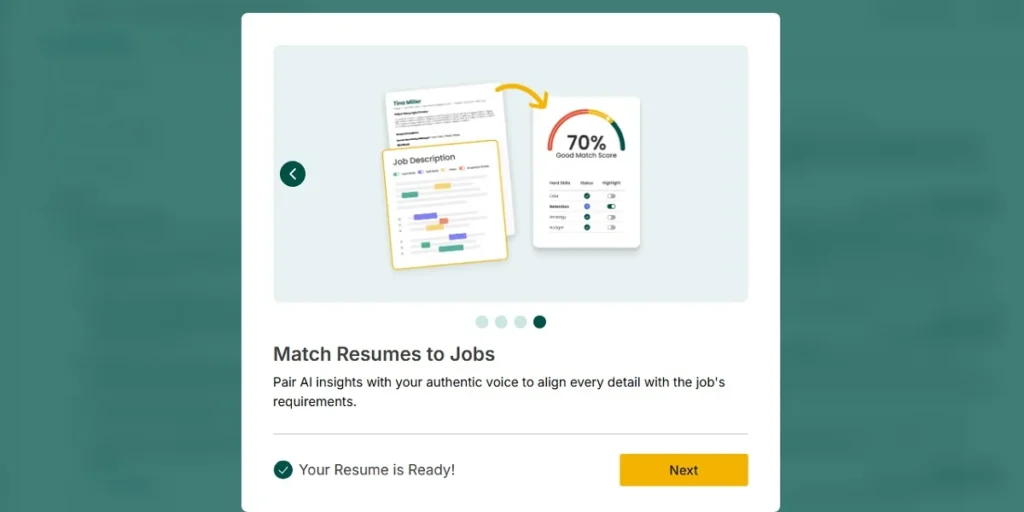
- Resume Builder — We uploaded a PDF resume, then edited content and changed its design.
- Resume import — The import screen listed PDF, DOCX, DOC, LinkedIn, and pasted-text options.
- Resume analysis — Teal analyzed structure, measurable results, and keyword usage without automatically rewriting the resume.
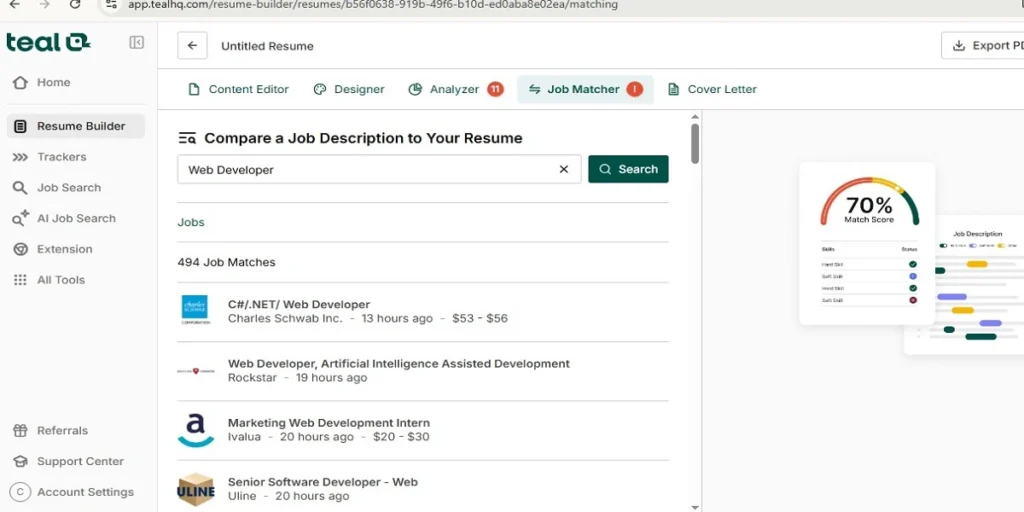
- Job matching — It showed a match view with matching and missing hard skills.
- AI cover letters — We selected a job and generated a medium-length cover letter.
- Job Tracker — The tracker supported job stages, notes, contacts, checklists, and associated resumes.
- AI Job Search — A search for “web developer” returned 332 jobs.
- Chrome Extension — The extension searched selected job sites in separate tabs. We installed and used it.
- Company Tracker and Contacts Tracker — These appeared in Teal’s tools menu. They were listed, not tested.
- Work Styles and Referrals — These appeared in navigation or the tools menu. They were listed, not tested.
What Teal does well
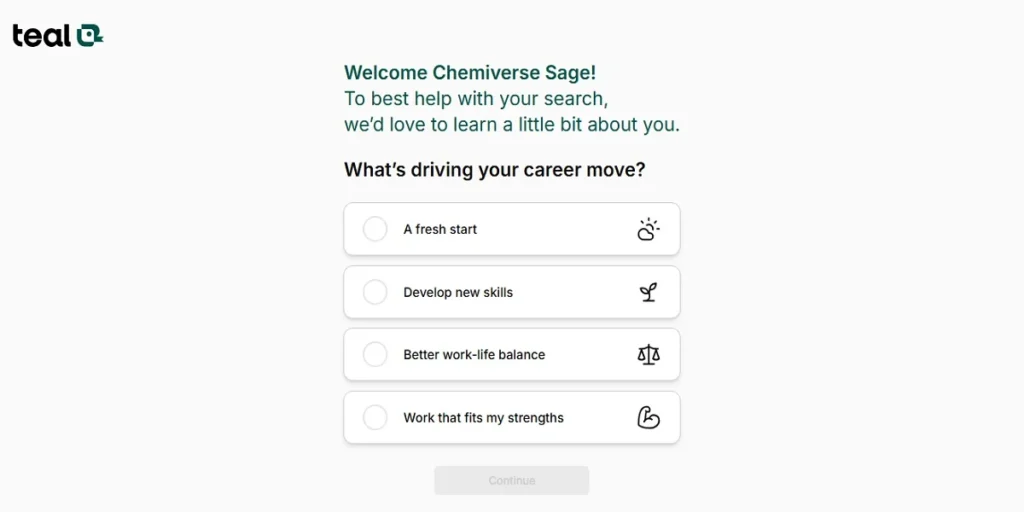
Teal gets a job seeker moving quickly. Google signup was straightforward, and the account sent a welcome email after registration. The onboarding screens collected career goals, timing, target roles, work preferences, and location preferences.
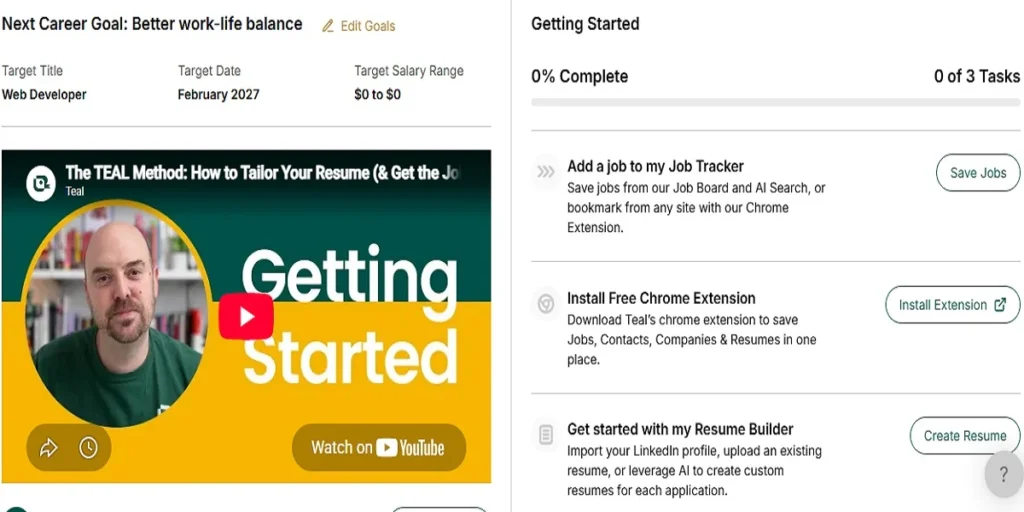
Those choices were not fixed after setup. We could edit the career goal, target title, and salary range later. The home screen gave direct paths to the tracker, extension, resume builder, and job-search tools.

Resume import was fast in the recorded workflow. The PDF upload took less than 30 seconds. Teal then created an optimized resume version in about 30 seconds, according to the tester.
The resume builder offered useful control without advanced design settings. The free designer offered 10 templates. We selected a single-column template and found the output satisfactory.
Users could organize sections for the target title, summary, experience, education, and skills. They could also adjust work history, dates, and education displays. Advanced styling controls were marked as Teal+ features.
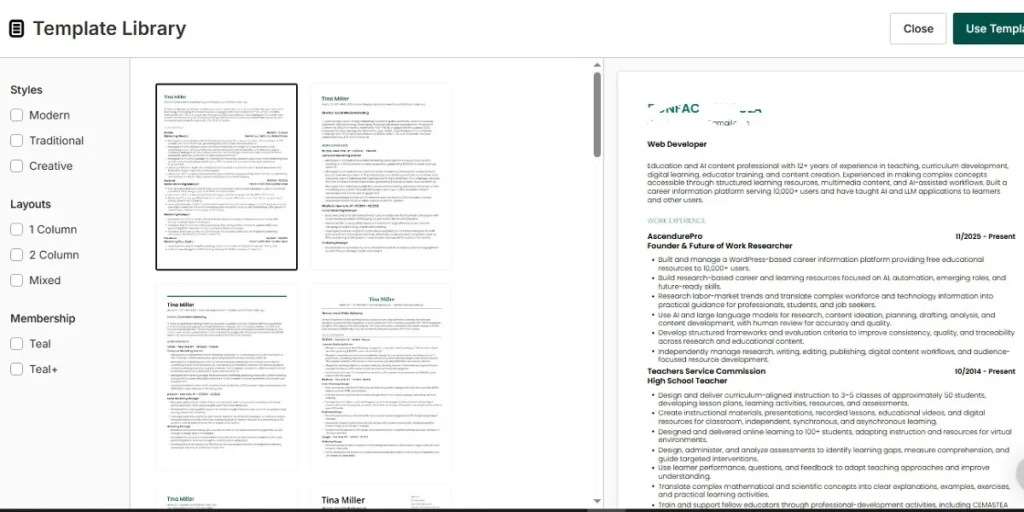
Teal’s analysis clearly separates diagnosis from automatic rewriting. One uploaded resume received a 54% overall score with 11 issues. The report identified five structure issues and six measurable-results issues.
That approach can help applicants wanting control over revisions. The free plan did not automatically optimize the uploaded resume. Users must make changes with Teal’s editing tools.
Job matching made qualification gaps easy to spot. The tested view showed five hard skills, while Teal+ offered 18 possible skills. Matching skills used green ticks, while missing skills used red X marks.
This is a practical way to compare a resume with a selected role. However, the free experience only exposed five hard skills during testing.

The AI cover-letter result was the strongest content test. We selected an AI Content and Prompt Engineer job and chose medium length. Teal generated the letter within 30 seconds.
The tester judged that single output accurate and reliable. They found no hallucinations or false claims in it. The interface also offered AI improvement, job switching, manual editing, copying, and exporting.
This finding covers one generated cover letter only. It does not establish accuracy across different roles, resumes, or prompts.
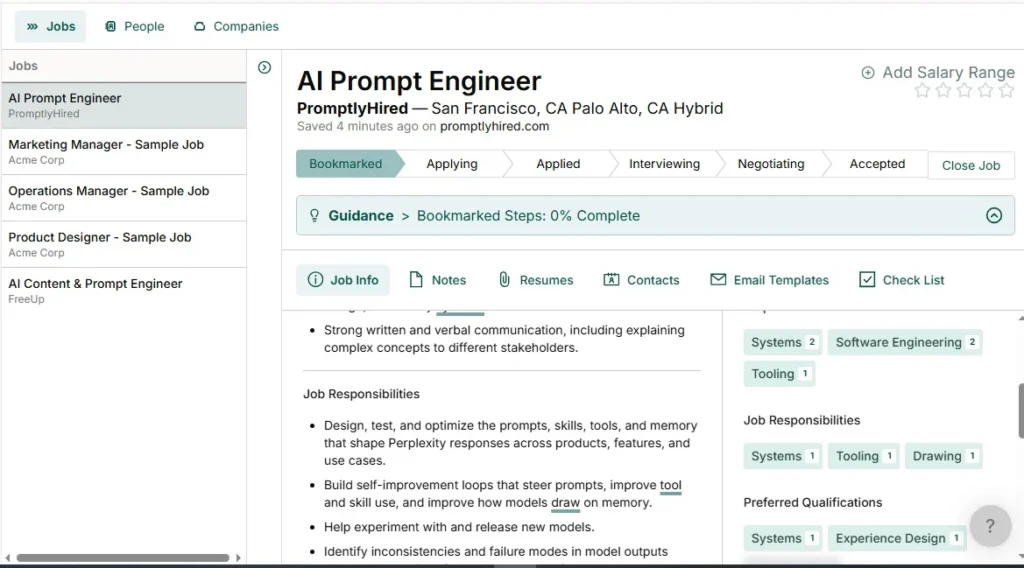
The tracker supported more than a simple saved-jobs list. We manually added an AI Prompt Engineer position with its title, company URL, description, and location. Teal displayed stages from bookmarked through accepted and closed.
It also supported automatically saved notes, contact fields, checklists, and resume selection. Some job information appeared blurred on the free plan. That limited the depth of the free tracker view.
AI Job Search followed the test query well. The exact search term was “web developer.” Teal returned 332 jobs, including C#/.NET/Web Developer, Web Developer roles, and a web-development internship.
That response aligned with the requested title. The evidence does not assess the completeness, freshness, or quality of all 332 listings.
The Chrome extension worked after installation. It took more than three minutes to download and add in the recorded test. Once installed, selected job sites opened in separate tabs with matching listings.

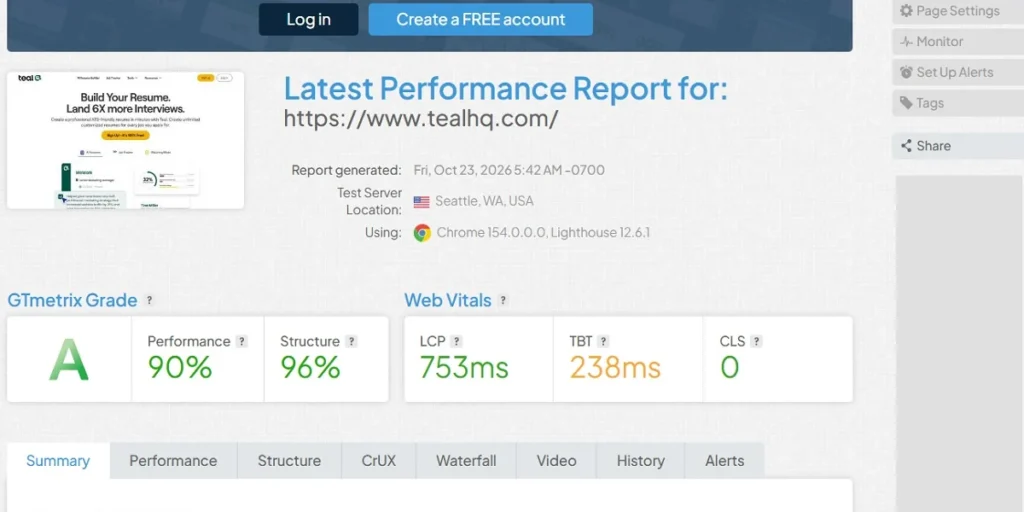
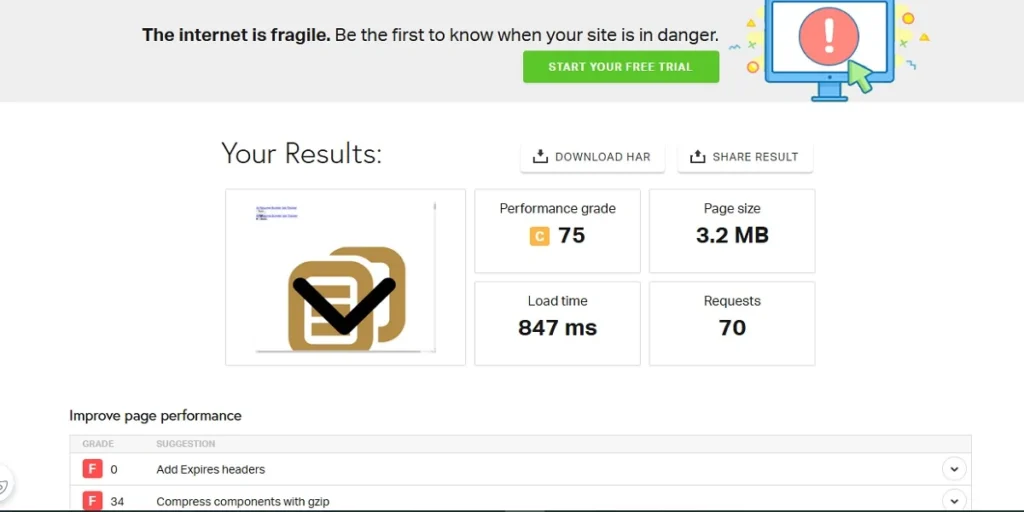
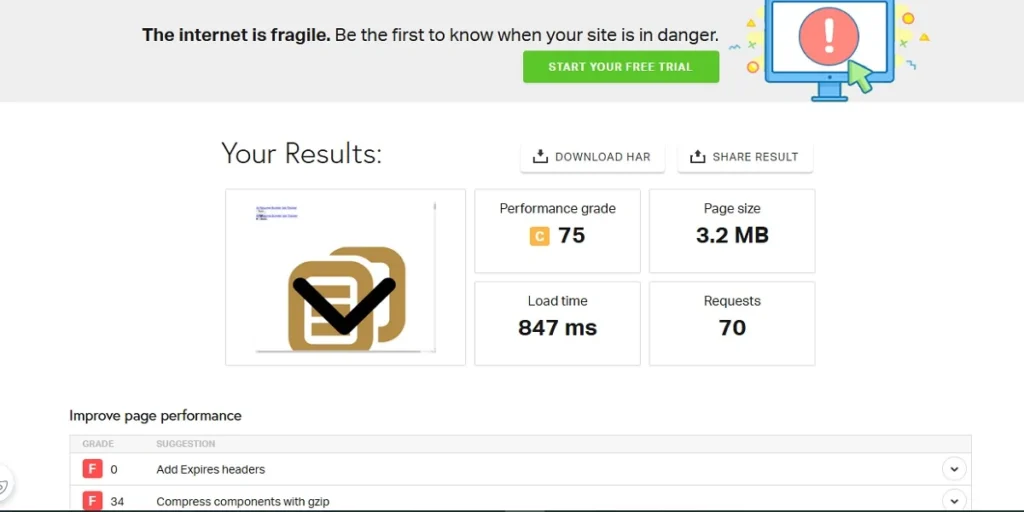
Website performance was consistently strong across the recorded checks. GTmetrix reported 90% performance, 96% structure, a 753 ms LCP, 238 ms TBT, and zero CLS. Pingdom measured an 847 ms load time for a 3.2 MB page with 70 requests.
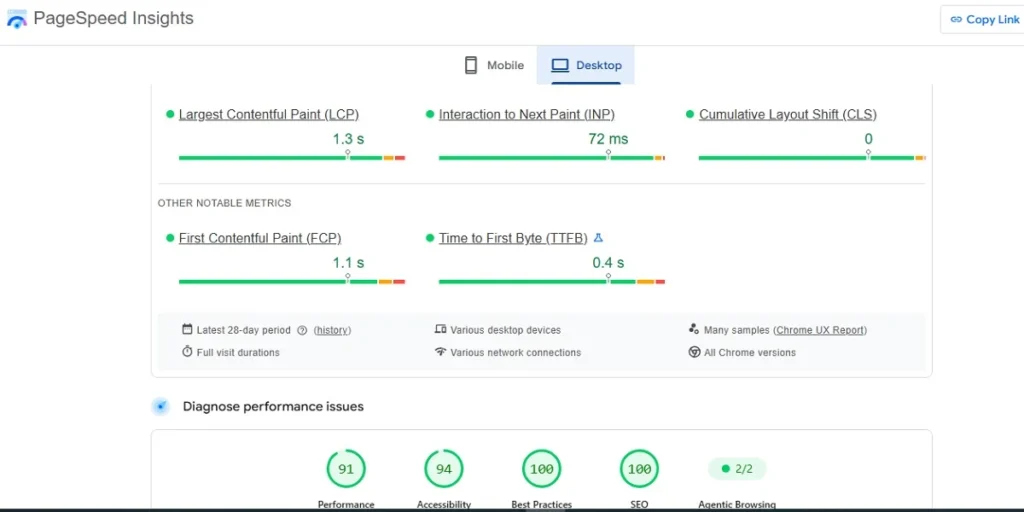
PageSpeed Insights passed Core Web Vitals. It recorded a 1.3-second LCP, 72 ms INP, zero CLS, 1.1-second FCP, and 0.4-second TTFB. The tester also reported quick uploads and no obstructive ads.
Where Teal falls short
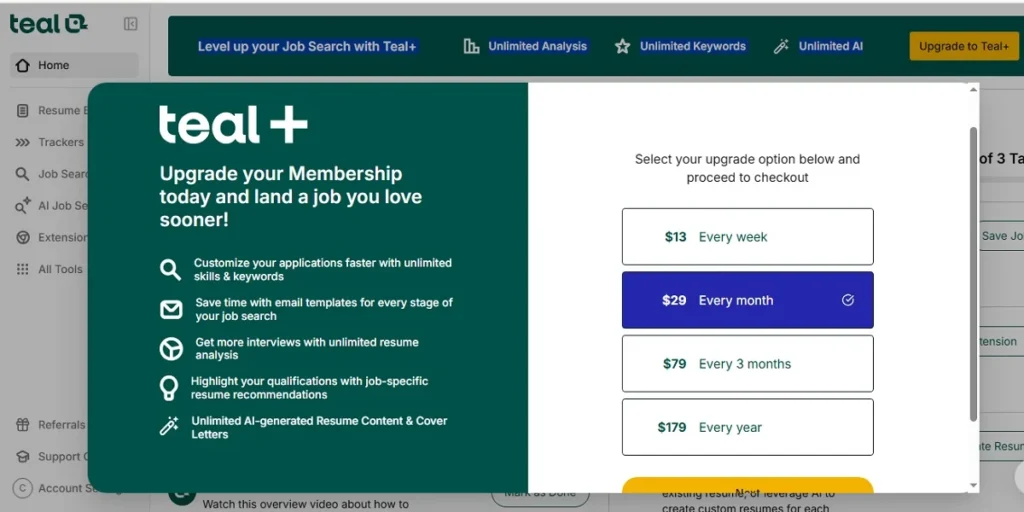
The first limitation is free-plan gating. The tested dashboard promoted unlimited analysis, keywords, and AI through Teal+. Advanced designer settings also required Teal+.
Teal’s resume analysis did not automatically change the uploaded document. It identified issues and left editing to the user. Applicants seeking one-click optimization will not get that from the tested Free plan.
Template choice was also restricted. We saw 10 free templates and another 10 requiring a paid plan. The paid templates were not tested, so their quality is unknown.
Job matching had a visible ceiling on the free experience. The test showed five hard skills out of 18 possible on Teal+. More detailed matching results may require an upgrade.
The onboarding process was easy, but it returned no listings for the tester’s selected preferences. Those selections could be changed afterward. Still, initial setup did not immediately produce useful listings in that case.
Extension installation was slower than the rest of the product. It took more than three minutes to download and add to Chrome. The extension worked afterward, but setup was not quick.
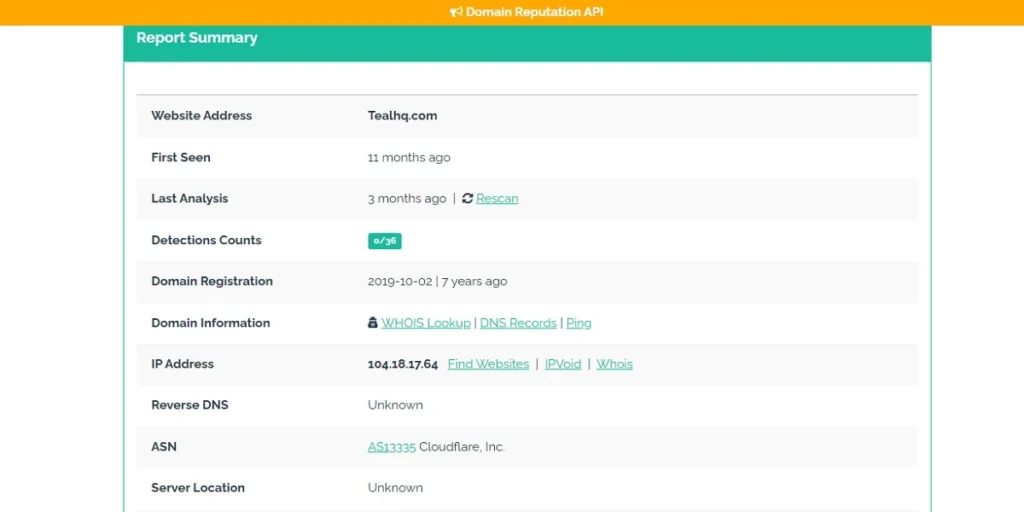
Privacy is the most important unanswered question. URLvoid reported zero detections across 36 checks. That is a website-reputation signal, not a review of resume or personal-data handling.
Who should use Teal, and who should skip it
Teal suits job seekers wanting one workspace for resumes, applications, job matching, tracking, and search. It also fits people comfortable revising resumes after analysis feedback.
- Use Teal for free resume importing and template controls.
- Choose Teal if you track applications across several job stages.
- Consider Teal for AI search and cover-letter generation.
- Try Teal if you want a Chrome extension for job-site searches.
Skip Teal’s free tier if you need unlimited AI content or analysis. It may also disappoint users expecting automatic resume rewriting from the initial analysis.
- Choose another plan if five displayed hard skills are insufficient.
- Avoid uploading a resume if verified privacy terms are essential.
- Look elsewhere if paid-template output is central to your workflow.
Is Teal worth the money?
The Free plan delivered enough for a serious initial job-search workflow. We used PDF import, free templates, analysis, matching, tracking, AI search, and one AI cover-letter workflow. That makes the free tier the clearest starting point.
Teal+ was listed at $29 per month in the directory record. The upgrade screen showed $13 weekly, $29 monthly, $79 quarterly, and $179 yearly. These prices should be confirmed before purchase.
The listed Free plan includes unlimited resumes, unlimited job tracking, and 10 templates. It also lists top-five keyword matching, basic analysis, and limited AI credits. The listed Teal+ plan adds unlimited templates, matching, analysis, email templates, design settings, and AI credits.
Weekly billing may confuse some buyers, according to the tester. The tester considered the displayed packages reasonably priced for the claimed features. We did not test paid-plan capabilities.
Screenshots from testing
The bottom line
Teal earned 4.8 out of 5 because its Free plan handled core job-search tasks well. Resume tools, tracking, AI search, and a tested cover letter all performed strongly.
Start with the free plan if you can revise your own resume. Confirm privacy practices and current paid-plan pricing before uploading sensitive career information or upgrading.